- Works with no signal
- Native Odoo integration
- Connects to your ERP
- Android and iPhone
The orders from the street, in your ERP the same day.
The app your field sales team uses to build its route, take the order, collect payment and leave proof of every visit. With a signal or without one.


A demo with your own data, no strings attached.
- ~120reps use it every day
- 19companies in a single operation
- 8 stepsguide every visit
- Odoonative integration, in production
- The sun beats down. An eight-hour shift.
- The signal drops. Halfway through the route, every day.
- The customer is waiting. With a queue at the counter.
Vendoo is built for that moment, not for an office.
The rep's whole day, in a single app.
And all of it works with no signal.
-
Today's route
Built by the rep
-
Guided visit
Eight steps
-
Order
With tax and signature
-
Collections
Against open invoices
-
Catalog
Price per customer
-
Barcodes
Search without typing
-
Chat
With the back office
-
Alerts
They open the document
-
Location
Arrival, close and route
-
Target
The rep sees it first
-
PIN and encryption
One database per rep
-
Multi-company
Prices, stock and tax
This is what a working day looks like.
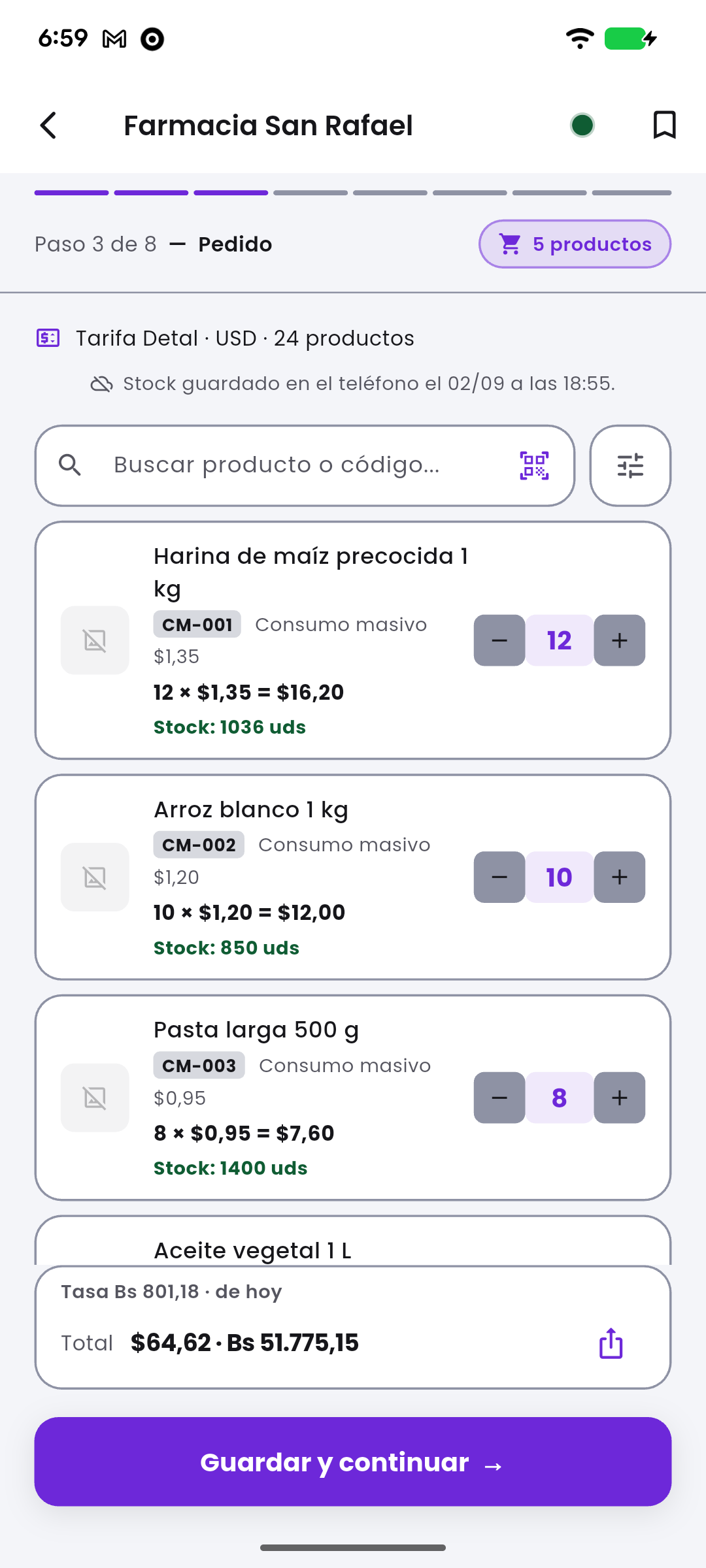
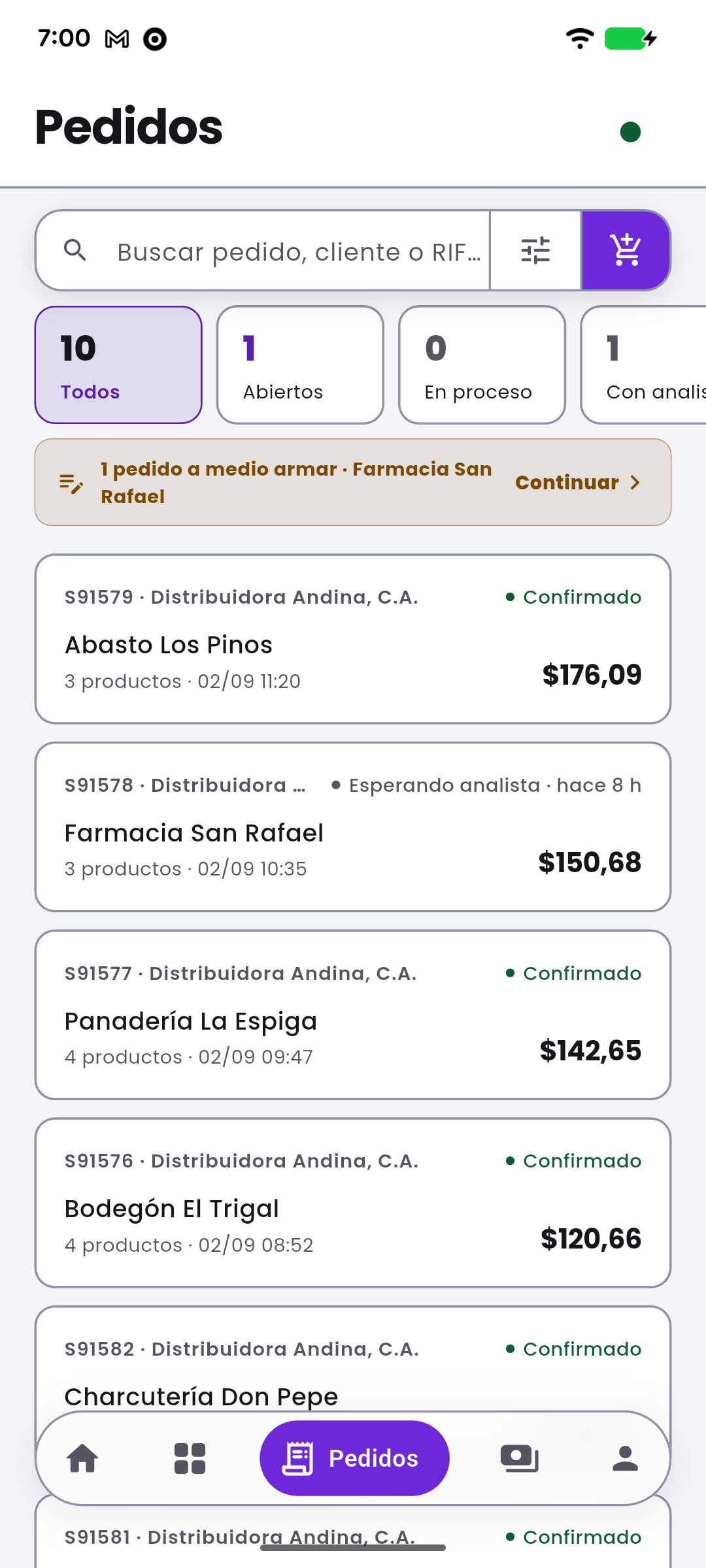
Real screenshots of the app, with test data.
-
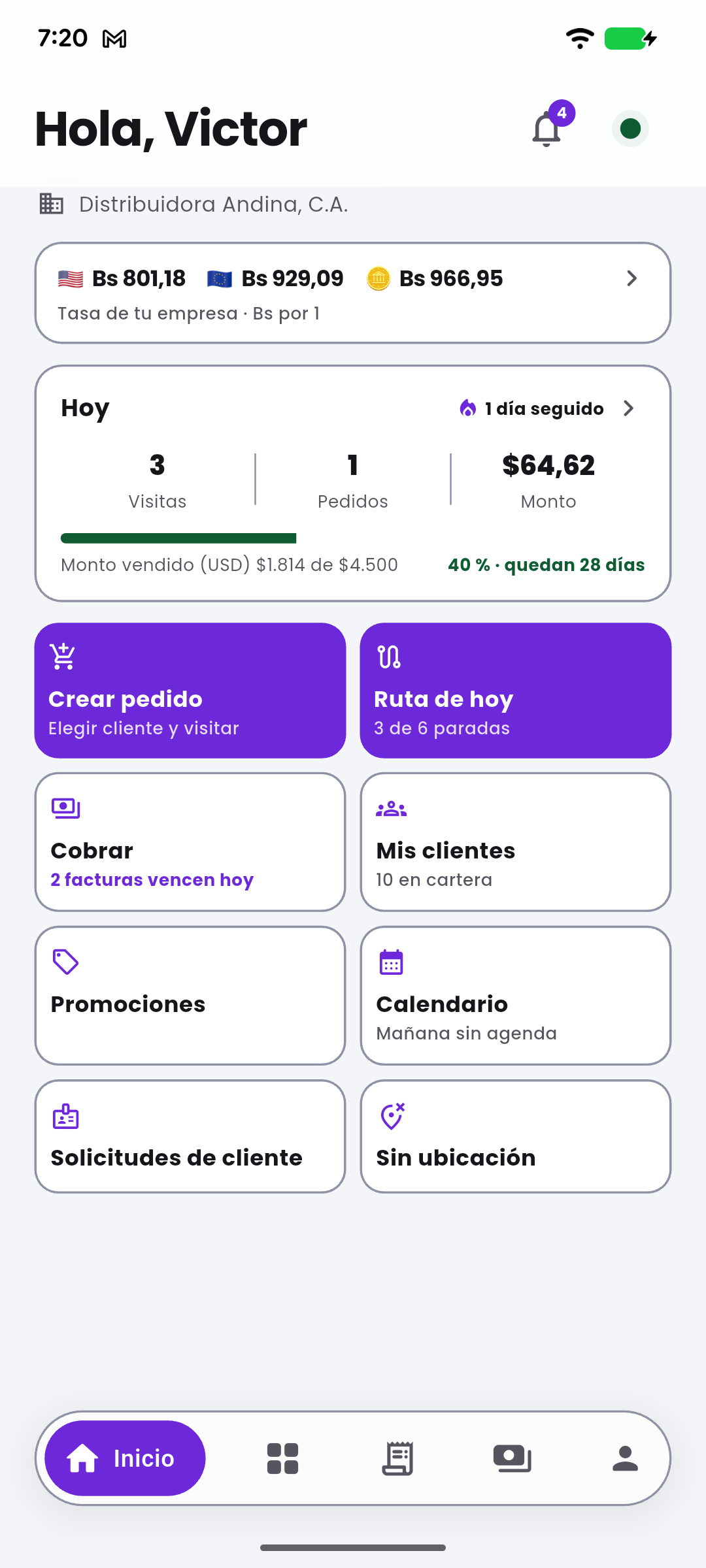
Home
Today's numbers and the month's target.
-
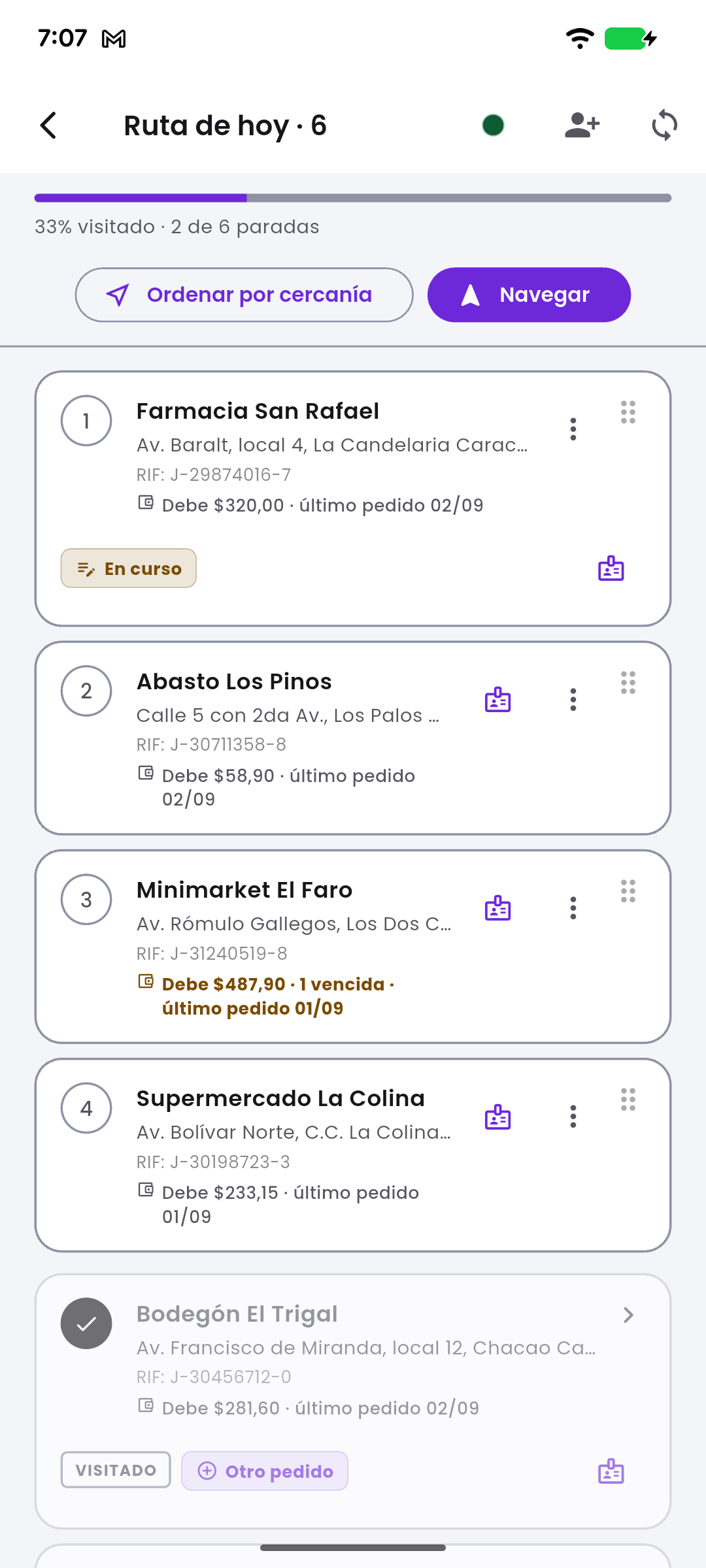
Today's route
Stops, balances and navigation.
-
The visit
Eight steps; what is done is checked off.
-
Order
Price, stock and the total in two currencies.
-
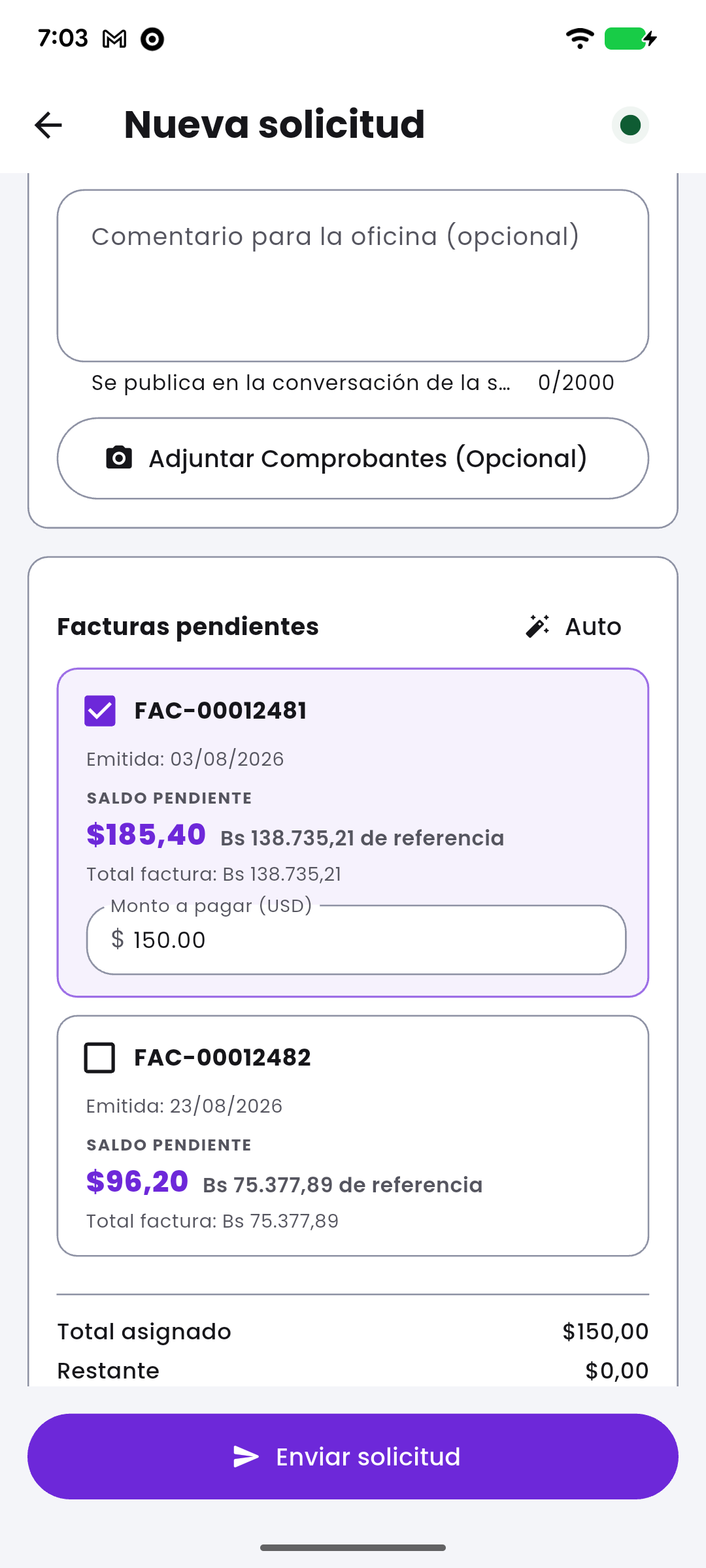
Collections
Amount, rate and outstanding invoices.
-
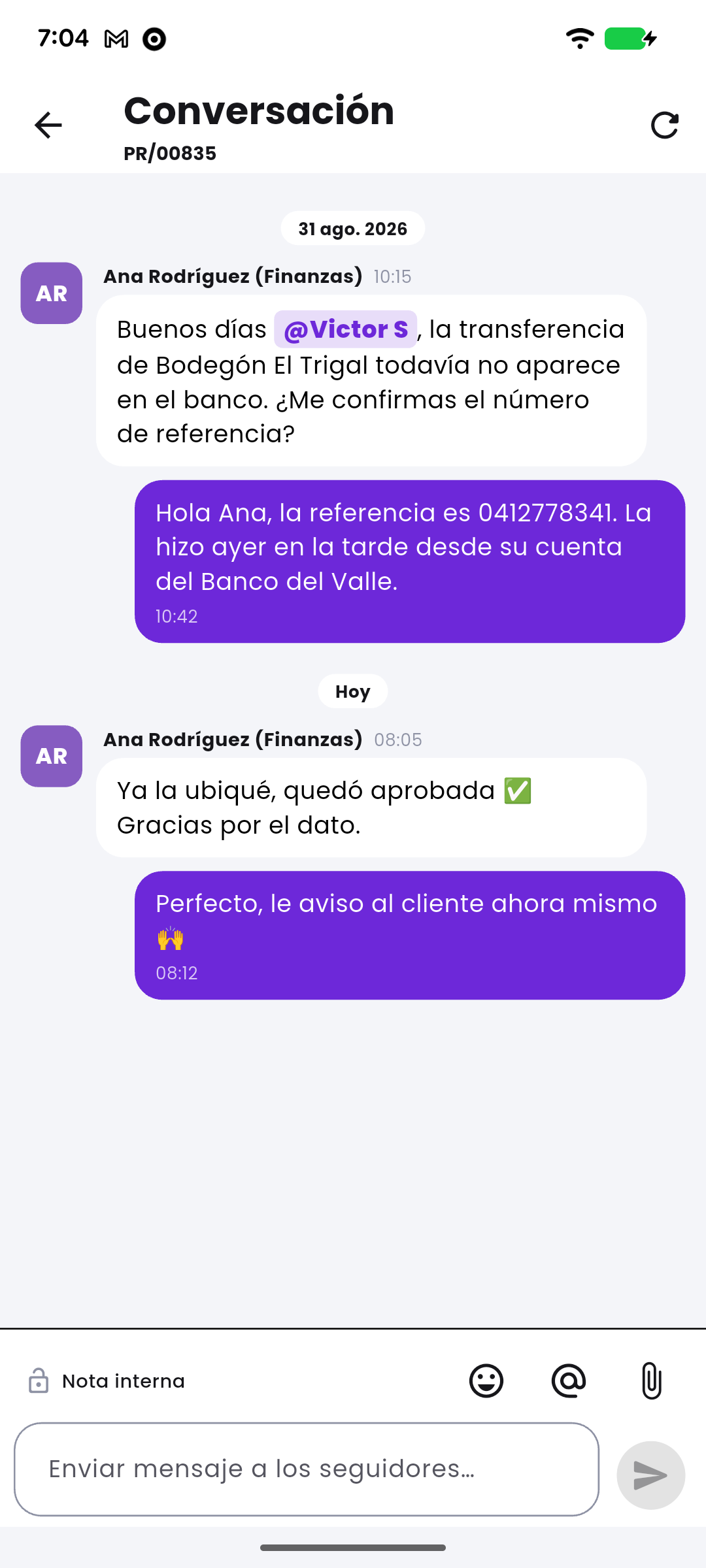
Chat
The thread with the back office.


The route is built on the phone, not in the office.
The rep sorts the stops, drops the one that is not due today, and nothing overwrites it. Offline, too.
Eight steps, only one of them required.
Arrival. The rest is recorded if it is needed, and the draft saves itself.
- Check-in Time and place of arrival.
- Stock count What is on the shelf.
- Order Customer price, stock and credit.
- Photos Evidence taken on the spot.
- Returns What comes back, with a reason.
- Notes Whatever does not fit in a field.
- Signature The customer's sign-off.
- Check-out The close, with its duration.
The photo is not required. If the camera fails, the visit still closes.
Check-in does not wait for GPS. Indoors it takes a while, and it holds nothing up.
One visit, one company. It does not switch halfway through.
The order does not wait for the network.
It is saved on the phone and goes out by itself when the connection returns. Retrying never charges twice.
Anything pending shows as “To send”, with its reason.
Your ERP has the last word.
What the customer signs travels as proof. Price, tax and total are recalculated by your system when the order arrives.
On the phone
- Net amount
- 518.40
- Tax
- 82.94
- Quoted total
- 601.34
In your ERP
- Net amount
- 518.40
- Tax
- 82.94
- Total
- 601.34
Vendoo carries the street into your ERP.
It is not another system with a truth of its own: it is the field end of the one you already run.
Which systems it works with
- Odoo 17, 18 and 19 Native integration
- SAP S/4HANA Custom-built
- SAP Business One Custom-built
- NetSuite Oracle Custom-built
- Dynamics 365 Business Central Custom-built
- QuickBooks Online and Desktop Custom-built
- Sage 300 and X3 Custom-built
- Zoho Books and Inventory Custom-built
- Salesforce CRM Custom-built
- Siigo Colombia Custom-built
- Alegra Latin America Custom-built
- CONTPAQi Mexico Custom-built
With Odoo, native and in production; with the rest, built to fit your operation. Trademarks belong to their owners; the icons are ours, not logos.
Which system do you run?
We will show you Vendoo working and tell you straight what would have to be built.
That phone holds what every customer owes.
Prices, balances, coordinates, photos and signatures. Which is why:
- Encrypted local database, one per rep.
- A PIN to open the app.
- The session is your ERP's.
- Crash diagnostics with no personal data.
For the people who sell on the street.
-
Distributors
Thousands of SKUs and a price list per customer.
-
Field sales teams
They leave with their route and come back with orders and payments.
-
Multi-company operations
Several companies, warehouses and currencies, each with its own tax.
Want to see it on your own data?
Your catalog, your price list and your route, the way your team will see them. No strings attached.